CygNet CAS View Control – Configuring Sort Properties
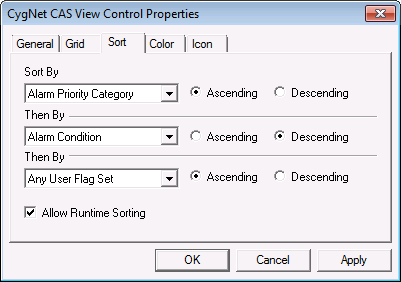
The Sort page allows sort order of the columns to be configured in design mode. Columns can be sorted by any of the attributes on the grid, in either ascending or descending order.
|
CAS View Control Sort Properties |
| Option | Description |
|---|---|
|
Sort By |
Specifies the first column to sort by. Select Ascending or Descending to specify the order. If no default sorting is desired, select <n/a>. |
|
Then By |
Select the secondary attribute column to sort by. Select Ascending or Descending. If no default sorting is desired, select <n/a>. |
|
Then By |
Select the third attribute column to sort by. Select Ascending or Descending. If no default sorting is desired, select <n/a>. |
|
Allow Runtime Sorting |
Enable to allow runtime sorting. |

